
Markdown viewer & editor — open .md files from AI chats and READMEs, offline
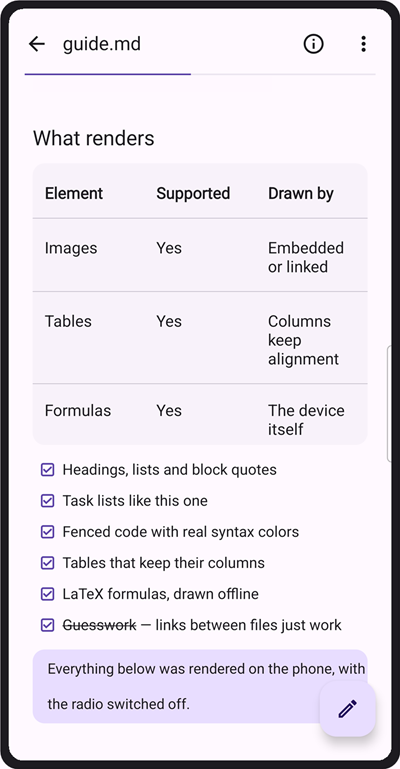
Open any .md file on your phone in a Markdown viewer and editor that shows it the way it was written — headings, images, tables, task lists, fenced code with syntax colors, and LaTeX formulas. Saved a chat with an AI assistant as .md? Downloaded a README, or exported a page from another tool? Markdown Reader & Editor works offline, with no account or sign-in.
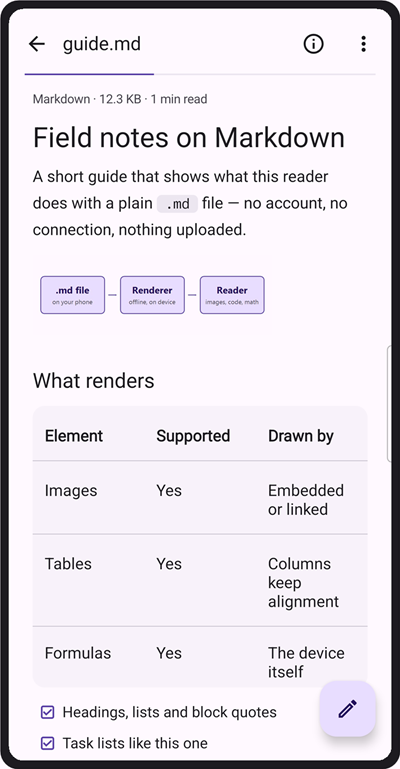
Keep a personal knowledge base, read README and API docs on the move, hold on to the answers an AI chat gave you, or write notes and long drafts on your phone. There is no AI inside this app — it renders AI-generated documents, it does not write them. Notes stay on the device unless you export, share or back them up.
📖 Reading built for long documents
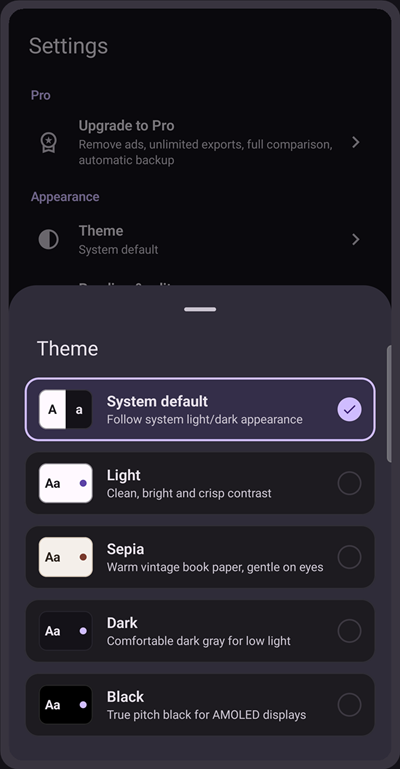
Choose the background that suits the room: neutral, light, sepia, dark, true black for AMOLED screens, or follow the system. Pick a sans, serif or monospace typeface, set text size and line spacing once, and every document follows. Each file reopens where you stopped, and the outline shows how far you have read and lets you jump between headings.
🧮 Formulas and code that render properly
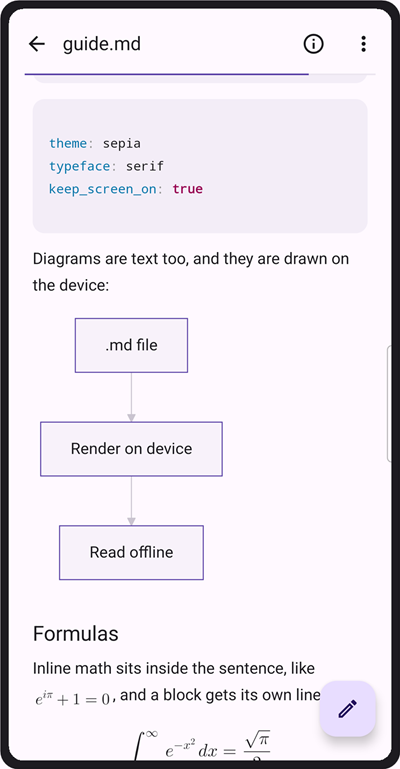
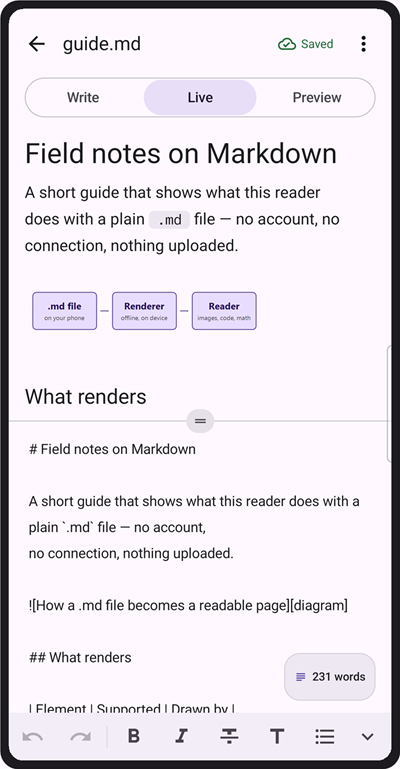
Math is drawn on the device itself, with no WebView and no network: $…$ and \(…\) inline, $$…$$ and \[…\] as their own block. Fenced code blocks are colored in twenty bundled languages, with a light and a dark palette that follow your theme. Mermaid diagrams render offline too.
✍️ Three ways to write
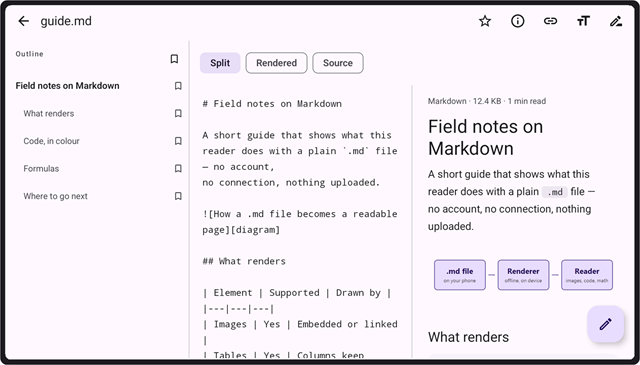
Switch between Write, Live split and Preview. The split view puts source and result side by side with a divider you can drag. A syntax toolbar inserts headings, bold, italic, code, quotes, links and task items, and autosave keeps every change without a Save button. Undo and redo up to a hundred steps.
🔗 Connect and organize
Link notes with [[double-bracket wiki links]] and tap to jump straight to the file they point at. Group documents into projects and nested folders, pin and star the projects you use most, then search your whole library — or one project, or titles only — with matching snippets shown inline.
🔄 Find files, bring them in, take them out
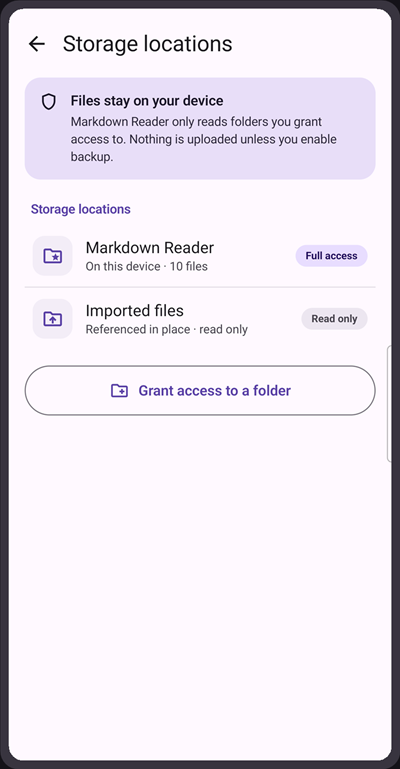
AI assistants and chatbots, documentation sites and static site generators all put out .md, so most of what you collect lands here ready to read. Files on this device lists the .md and .txt notes already on your phone — in Download, Documents or a chat app's folder — once you allow it, and opens a copy so the original is untouched. Or import files from your device, pull a web page in as clean Markdown from its address, or paste HTML and convert it. Open .html the same way, and preview an export before you save it. Link a folder to bring all of it in at once. Export a document as Markdown, PDF, HTML or JSON, or take a whole project away as a ZIP or JSON bundle with a predictable schema.
🔍 Compare two documents
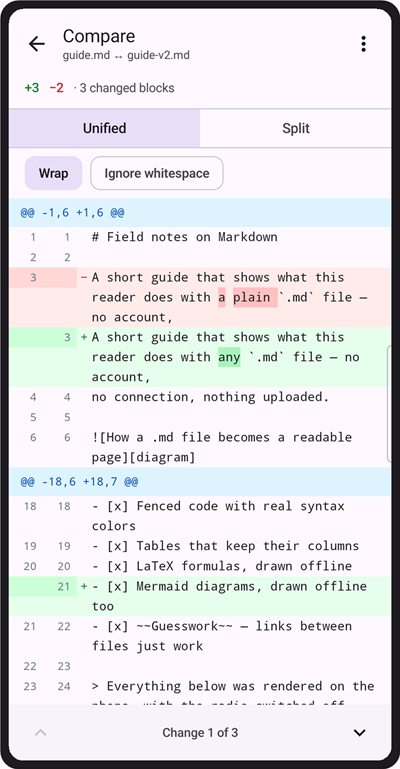
Pick one document, then another, and see what changed between them line by line, with the differing words marked inside each line. View the two in columns side by side or as one combined list, step through the changes, and save the result as .diff, HTML or plain text. A .diff or .patch file opens the same way.
🛟 Built so you don't lose your writing
Autosave runs after every change. Deleted items wait in Trash for 30 days before they go for good. Google Drive backup is optional and stays off until you turn it on; once on, it keeps your last five snapshots, can run by itself on Wi-Fi, and tells you when the same project changed on two devices instead of quietly overwriting one of them.
🌍 In your language
Available in English and 56 more languages, switchable inside the app.
Why this app
Reading and editing happen on the device, so they work offline rather than waiting on a connection. It reads the rest of your phone only when you ask, and there is no account to create. On a tablet the reader splits into two panes, and you can open .md files straight from other apps through Open with or Share.
Pro, if you want it
- No ads, anywhere
- Unlimited PDF & HTML exports
- Automatic Drive backup
- Full document comparison
- 90-day version history
- Extra reading fonts
- Share, save and open images in other apps
Pro is optional. Everything shown above works without it.
Install Markdown Reader & Editor — the viewer that opens that .md file properly.